

SnippetPop
Desktop app · Released Feb 2026
A lightweight, cross-platform desktop app to organize text snippets and notes locally: a private, free alternative to cloud-based subscriptions.
01 — Gallery
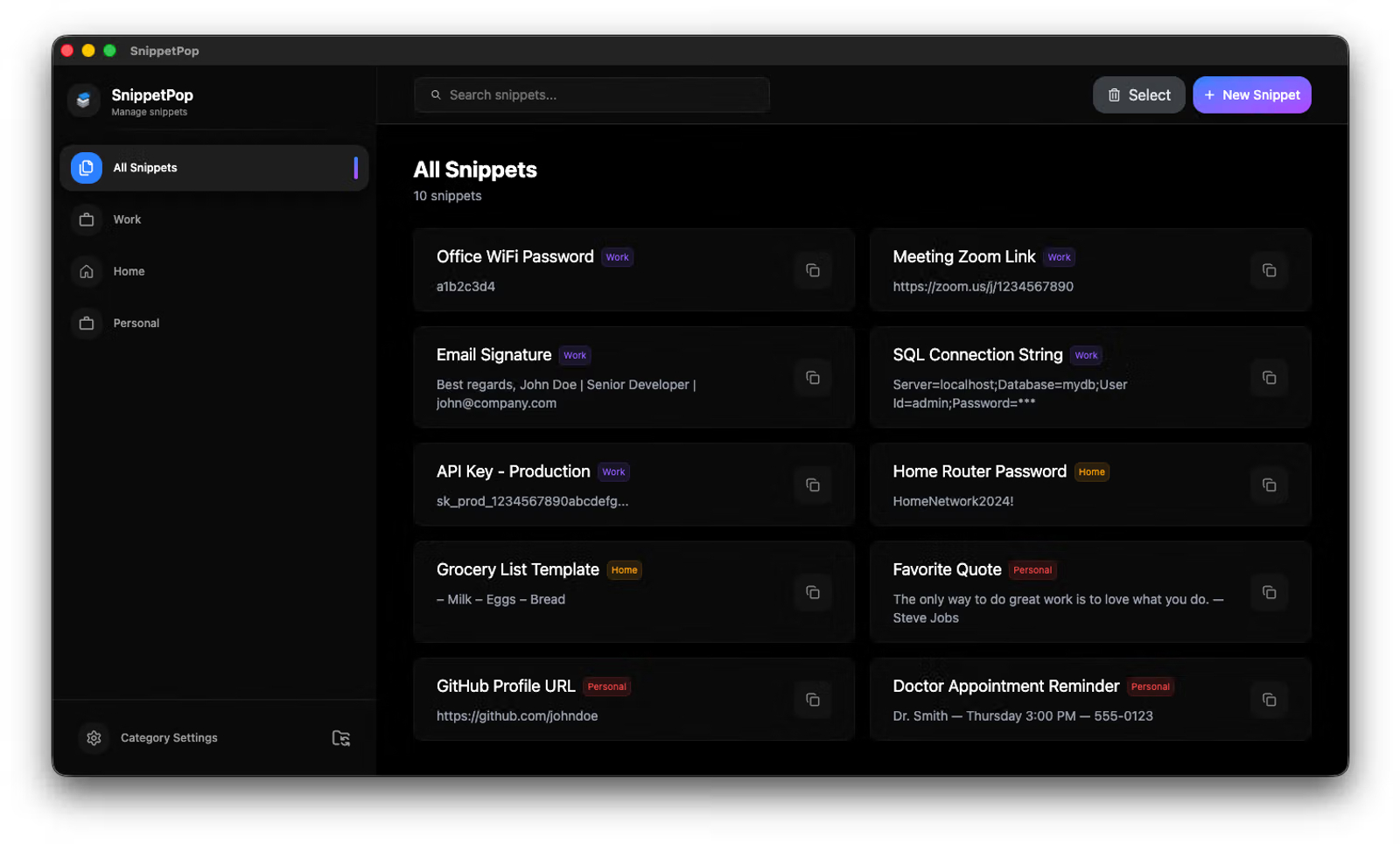
The app, screen by screen
A look at the main screens of the app.
02 — Architecture
How it's built
The app, layer by layer. Each badge links to the decision that shaped that layer.
ON YOUR COMPUTER
Interface
React, Tailwind CSS, shadcn/ui
Main process
Electron, context isolation
Snippet library
JSON file via electron-store
Synced folder
Your Google Drive, Dropbox, OneDrive or iCloud folder
Update check
GitHub Releases API
Backend
No server, no account
03 — Decisions
Decision log
Context, choice and the price paid for each one.
Store the library in a local JSON file
Context
Most snippet managers require an account and a monthly subscription, even though snippets are personal data that rarely need a server.
Decision
Keep every snippet and category in a single JSON file on the user's computer, managed with electron-store. No server, no registration.
Tradeoff
No real-time collaboration, and the whole library is rewritten on every change, which is fine at personal scale.
Alternatives
SQLite, Firebase, A custom backend
Sync through a folder the user already owns
Context
Users wanted the same snippets on more than one computer, without the app needing its own cloud.
Decision
Let users move the library to any folder, such as Google Drive or Dropbox. A small local config remembers the location, the app migrates the data there, and another computer pointing to the same folder loads it.
Tradeoff
Sync timing and conflicts are left to the cloud provider, so editing on two computers at once can produce conflicted copies.
Alternatives
Custom sync server, Google Drive / Dropbox APIs, CRDT-based sync
Ship unsigned builds through GitHub Releases
Context
It's an independent project, without paid certificates to sign the Windows and macOS builds.
Decision
Installers are published on GitHub Releases. On startup the app calls the releases/latest API, compares versions and, if a newer one exists, opens the release page.
Tradeoff
There's no auto-update. Users hit SmartScreen and Gatekeeper warnings, and on macOS they have to run xattr -cr.
Alternatives
Signed builds with electron-updater, Mac App Store, Microsoft Store